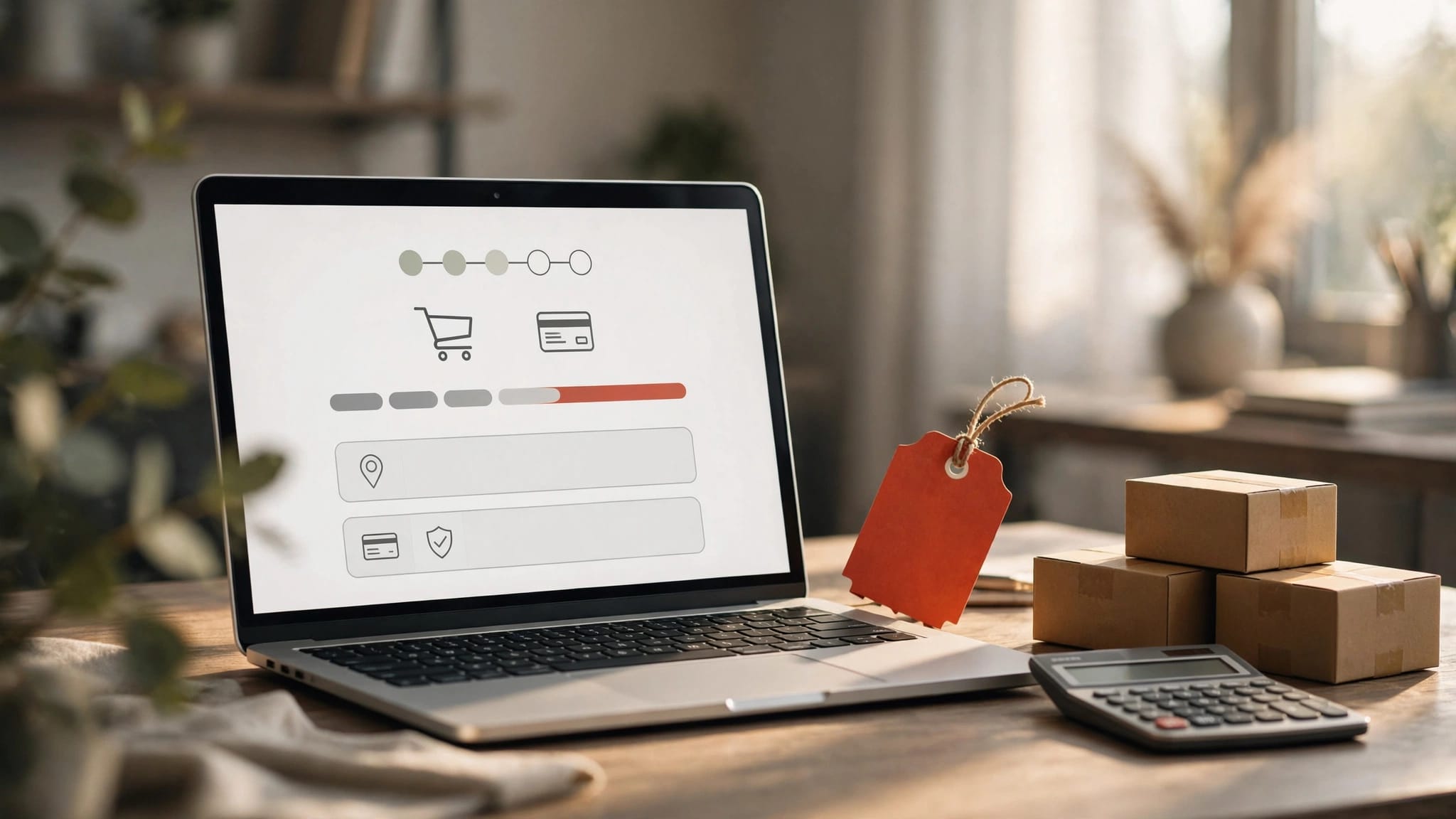

Many Italian entrepreneurs believe that setting up an e-commerce business requires significant investment and advanced technical skills. In reality, WooCommerce changes this perception offering an affordable and powerful solution for selling online. This guide will take you through every aspect of WooCommerce, from initial set-up to growth strategies, with a specific focus on the needs of the Italian market. You’ll discover how to manage VAT, integrate national couriers and optimise your shop to maximise conversions and visibility on search engines.
Contents
- Key points about WooCommerce
- What is WooCommerce and why is it the ideal choice for Italian entrepreneurs?
- Advantages, disadvantages and technical requirements of WooCommerce
- Customising and optimising WooCommerce for the Italian market
- Practical strategies for launching and growing an e-commerce business with WooCommerce
- Find out how Andrea Freelance can help you with your e-commerce business using WooCommerce
- What is WooCommerce: frequently asked questions
Key Points
| Full stop | Details |
|---|---|
| Complete control over the shop | WooCommerce is an open-source WordPress plugin that gives you complete control over your shop’s data, design and functionality. |
| Low costs and scalability | The initial costs are limited to hosting, the domain name and the chosen extensions, allowing you to get started with a minimal investment. |
| A robust Italian ecosystem | In Italy, there is extensive support in Italian from developers, agencies and communities. |
| Hosting and maintenance required | Performance depends on the server and requires regular updates and ongoing management. |
Key points about WooCommerce
| Appearance | Details |
|---|---|
| What is it? | A free, open-source WordPress plugin that creates fully-fledged online shops |
| Features | Management of products, orders, payments, deliveries, stock and marketing |
| Key benefits | Full control over data, low upfront costs, unlimited scalability, native SEO |
| Technical requirements | Optimised WordPress hosting, compatible theme, regular maintenance |
| Italian customisation | VAT configuration 22%, integration with national courier services, tax plugins |
| Popularity | Over 4 million active shops, 31% of the world’s top e-commerce sites |
What is WooCommerce and why is it the ideal choice for Italian entrepreneurs?
WooCommerce is a free, open-source plugin that transforms any WordPress site into a professional online shop. Unlike closed platforms such as Shopify or BigCommerce, WooCommerce gives you complete control over your data, design and functionality. You can sell physical and digital products, subscriptions and services without any restrictions imposed by third parties.
The platform manages every aspect of e-commerce. You can create product catalogues with unlimited variants, manage orders and customers via an intuitive dashboard, set up multiple payment methods and automate shipments with national and international couriers. Native integration with WordPress means you automatically benefit from all the SEO capabilities, content management features and security of the world’s most widely used platform.
With over 4 million active shops and a 31% share amongst the world’s leading e-commerce sites, WooCommerce dominates the market. In Italy, its popularity stems from its flexibility in handling local requirements such as VAT, electronic invoicing and national couriers. You can create a professional website and add e-commerce functionality gradually, without having to rebuild everything from scratch.
For Italian entrepreneurs and freelancers, WooCommerce offers tangible benefits:
- Minimum initial investment: Free plugin; costs limited to hosting and domain registration
- Guaranteed scalability: Start with 10 products, scale up to 10,000 without changing platforms
- Full ownership: Your data remains on your server; there is no reliance on external providers
- Italian ecosystem: Thousands of developers and specialist agencies offer support in Italian
- Native integrations: Easily integrate with business management software, CRM and marketing automation tools
The WooCommerce ecosystem includes over 55,000 compatible WordPress plugins and hundreds of e-commerce-specific themes. This variety allows you to customise every aspect of your shop, from checkout features to upselling strategies, without writing any code. Visit the official WooCommerce website to explore extensions and resources.
Advantages, disadvantages and technical requirements of WooCommerce
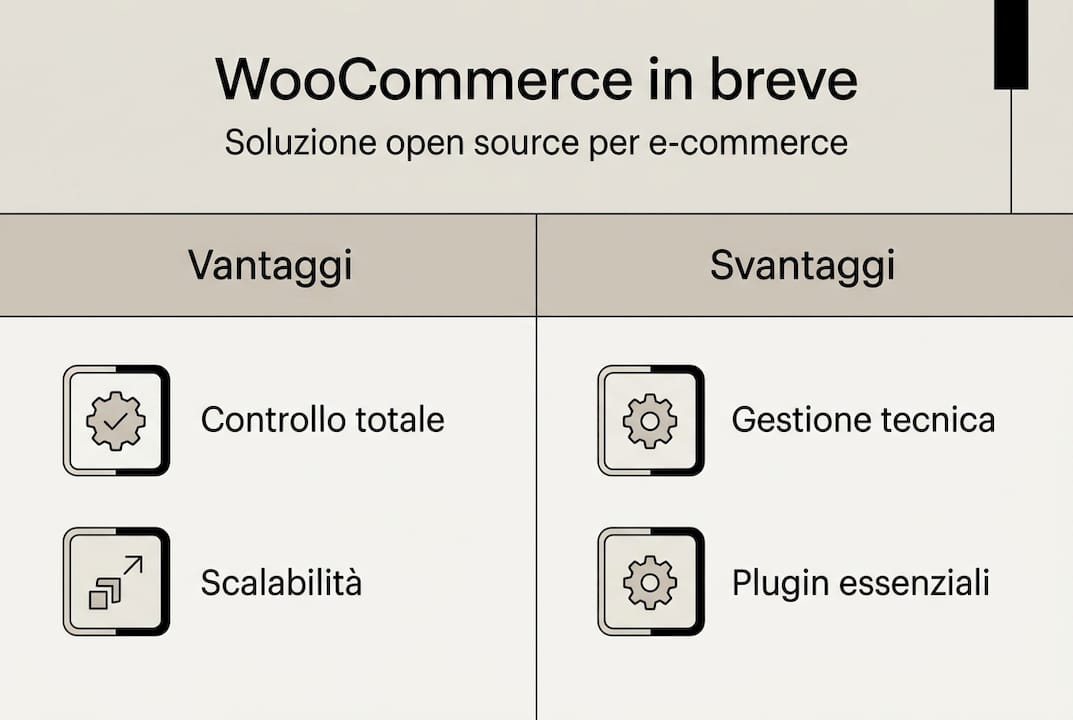
Understanding its strengths and limitations will help you decide whether WooCommerce is the right solution for your business. Benefits include complete flexibility, low costs and native SEO, whilst the disadvantages mainly relate to the initial learning curve and the need for ongoing maintenance.
Key benefits:
- Absolute control: Modify code, databases and functionality without platform restrictions
- Transparent costs: You only pay for hosting, the domain name and any premium extensions you choose
- Advanced SEO: WordPress offers an optimal structure for search engines; WooCommerce extends this to products
- Global community: Millions of developers share solutions, plugins and best practices for free
- Unlimited add-ons: Connect any service via an API or dedicated plugins
Disadvantages to bear in mind:
- Technical skills: Initial setup and customisation require familiarity with WordPress
- Critical hosting: Performance depends on the quality of the server; cheap hosting services can cause slow speeds
- Regular maintenance: Regular updates to WordPress, WooCommerce, themes and plugins are essential for security
- Responsibility for backups: You must manage backups and disaster recovery yourself
- Hidden costs: Premium extensions, professional themes and technical support all add up over time
The technical requirements determine whether your shop succeeds or fails. A reliable WooCommerce hosting provider must offer SSD storage, advanced caching, PHP 8.0 or higher, and at least 2GB of dedicated RAM. Avoid cheap shared hosting plans, which slow down during traffic spikes. Choose providers specialising in managed WordPress hosting, such as SiteGround, Kinsta or Italian providers offering local support.
The theme determines speed and conversion rates. Storefront is the official free theme, optimised for performance. Astra and GeneratePress offer extremely lightweight free versions, ideal for shops with hundreds of products. Flatsome and Woodmart are popular premium options, but require careful configuration to avoid unnecessary code. Apply Winning strategies for WordPress websites to maximise speed.
Pro tip: Only install essential plugins. Every plugin adds queries to the database and slows down the site. Check for native WooCommerce alternatives before adding extensions. Use tools such as Query Monitor to identify plugins that affect performance and replace them with more efficient solutions.
Monitor performance weekly using Google PageSpeed Insights and GTmetrix. Aim for load times of under 2 seconds on mobile. Caching, CDNs and image optimisation are essential. Set up the free Cloudflare service to speed up content delivery globally. Compress images using plugins such as ShortPixel before uploading them to reduce the size of product pages.
Customising and optimising WooCommerce for the Italian market
Tailoring WooCommerce to the specific requirements of the Italian market transforms a generic online shop into a competitive solution. WooCommerce is optimised for VAT 22%, national courier services and tax plugins that simplify regulatory compliance. Correct configuration helps avoid legal issues and improves the user experience.

VAT management requires particular attention. WooCommerce includes built-in settings for multiple rates. Set 22% as the standard rate, and add 10% and 4% for specific categories such as food and books. For intra-Community B2B sales, enable automatic reverse charge via dedicated plugins. Integrate e-invoicing with extensions such as WooCommerce Fatture or Danea Easyfatt to generate XML files compliant with Italian regulations.
National couriers such as Poste Italiane, BRT and GLS offer official plugins for automatic rate calculation and tracking. Set up delivery zones for Italy, Europe and the rest of the world with tiered rates based on weight or order value. Offer in-store collection as a free option for local customers, reducing logistics costs and increasing profit margins.
SEO optimisation starts with a solid foundation. Yoast SEO or Rank Math automatically configure product metadata, breadcrumbs and schema markup for rich snippets. Product URL structure such as dominio.it/categoria/nome-prodotto to maximise relevance. Write unique descriptions for each product, avoiding duplication which can harm your ranking. Explore web services for businesses for professional support.
Steps for the Italian configuration:
- Set the currency to Euro and the Italian format for dates and numbers
- Configure VAT rates 22%, 10% and 4% with rules for specific categories
- Install the e-invoicing plugin and connect it to the Interchange System
- Add popular payment methods: cards, PayPal, bank transfer, cash on delivery
- Set up domestic couriers with automatic rate calculation and tracking
- Enable caching and CDN for optimal speed on Italian connections
- Translate any remaining strings into English using Loco Translate
Pro tip: Test the full checkout process at least once a month. Check that automated emails are being sent, invoices are being generated correctly and payments are being processed without errors. Use test accounts to simulate purchases and identify friction points that cause shopping basket abandonment.
Professional issues accelerate development but require careful assessment:
| Topic | Price | Speed | Flexibility | Ideal for |
|---|---|---|---|---|
| Storefront | Free | Excellent | Media | Simple shops, limited budget |
| Astra | €47 per year | Excellent | High | Scalable shops, advanced customisation |
| Flatsome | A one-off payment of €59 | Good | Extremely high | Visually complex shops, with a wide range of products |
| Woodmart | A one-off payment of €39 | Good | High | Fashion shops, modern design |
| Shopkeeper | A one-off payment of €69 | Media | High | Boutiques, premium brands |
Choose themes that are updated frequently and have active support. Check for compatibility with Gutenberg and page builders such as Elementor if you plan to carry out extensive design customisations. Implement SEO strategies for e-commerce to maximise organic visibility. See the WooCommerce guide for Italians for further technical details.
Practical strategies for launching and growing an e-commerce business with WooCommerce
Launching a WooCommerce shop requires careful planning. Following a structured process minimises costly mistakes and speeds up time to market. Benchmarks show rapid growth with multi-channel integration and precise management of stock and tax affairs.
Key steps for the launch:
- Strategic planning: Define your target audience, product catalogue, prices and profit margins before installing WordPress
- Technical setup: Register a domain, set up optimised hosting, and install WordPress and WooCommerce
- Basic configuration: Set the currency, VAT, payment methods and delivery options for the Italian market
- Professional design: Choose a responsive theme, customise your brand colours, create a logo and favicon
- Loading catalogue: Add products with professional photos, SEO-optimised descriptions and comprehensive variants
- Integration of tools: Connect Google Analytics, Search Console and Mailchimp for email marketing
- Full test: Simulate purchases, check automated emails, monitor electronic invoicing
- Soft launch: Open to a select group to gather feedback and fix bugs
- Initial marketing: Run social media campaigns, Google Ads and collaborations with industry influencers
- Continuous optimisation: Analyse metrics on a weekly basis, test checkout variations, improve conversion rates
Google Analytics 4 tracks user behaviour and identifies bottlenecks. Set up goals for completed purchases, items added to the basket and product views. Monitor the basket abandonment rate and implement automated recovery emails with progressive discounts. Mailchimp or ActiveCampaign automate post-purchase follow-ups and campaigns to reactivate dormant customers.
Advanced tax management sets amateur shops apart from professional businesses. For intra-EU B2B sales, set up automatic export reporting using dedicated plugins. If you exceed EU sales thresholds, activate the OSS (One Stop Shop) scheme to simplify VAT returns. Integrate with accounting software such as TeamSystem or Zucchetti to synchronise orders, invoices and stock movements in real time.
Payment methods and their impact:
| Method | Fees | Conversion | Safety | Recommended for |
|---|---|---|---|---|
| Credit/debit cards | 1,5-2,5% | High | Excellent | All shops |
| PayPal | 3,4% + €0,35 | Media | Excellent | International clients |
| Bank transfer | None | Low | High | B2B orders, high-value orders |
| Mark | €3–5 flat rate | Media | Media | Sceptical customers, elderly people |
| Stripe | 1,4% + €0,25 | High | Excellent | Start-ups, online shops |
| Satispay | €0.20 flat rate | Growing | Excellent | Small payments, young customers |
Offer at least three different payment methods to maximise conversions. Cards and PayPal cover 80% of Italian preferences. Add bank transfers for B2B and cash on delivery if you’re selling to less digitally connected demographics. Stripe competes with PayPal by offering lower fees and a faster checkout process. Satispay is growing rapidly among the under-40s for transactions under €50.
Pro tip: Implement a one-page checkout using the Checkout Field Editor. Keep mandatory fields to a minimum: email, name, address and telephone number. Each additional field reduces conversions by 5–10%. Enable guest checkout without mandatory registration, and offer optional registration once the purchase is complete.
Common mistakes to avoid:
- Photos of poor-quality products: Invest in professional photography – blurry images kill conversions
- Duplicate descriptions: Google penalises copied content; write unique descriptions for each product
- Complex checkout: More than three steps lead to a massive drop-off rate – simplify the process
- Lack of SSL: An HTTPS certificate is compulsory; modern browsers block insecure websites
- Missing backups: You’ll lose everything in the event of a hack or server error – automate daily backups
- Obsolete plugins: Security vulnerabilities are on the rise – update weekly
Maintenance and performance require constant attention. Every Monday, check for available updates for WordPress, WooCommerce, your theme and plugins. Test them on a staging environment before deploying them to production. Monitor uptime using services such as UptimeRobot, and receive immediate alerts if the site goes offline. Optimise the database monthly using WP-Optimize to remove revisions and obsolete data.
For professional support in e-commerce website development, consider working with experts. Follow a structured guide such as Professional website creation in 10 steps Achieve results faster. Find out more about strategies for leveraging WooCommerce’s benefits for businesses to maximise ROI.
Find out how Andrea Freelance can help you with your e-commerce business using WooCommerce
Setting up a WooCommerce shop requires technical expertise, time and attention to detail. Andrea Freelance offers over 20 years’ experience in building e-commerce websites optimised for the Italian market. From the initial set-up to integration with accounting software and national courier services, you’ll receive comprehensive support to turn your idea into a profitable online business.
Web services for businesses include theme customisation, performance optimisation, tax configuration and SEO strategies specifically tailored for e-commerce. Whether you’re launching your first online shop or migrating from another platform, a freelance webmaster – website design An expert speeds up results and prevents costly mistakes. Focus on your business whilst professionals handle the technical aspects, maintenance and ongoing updates to ensure optimal security and performance.
What is WooCommerce: frequently asked questions
Is WooCommerce suitable for small shops?
Absolutely. WooCommerce scales perfectly from 10 to 10,000 products without needing to change platforms. Minimal initial costs and flexibility make it ideal for start-ups and small businesses looking to grow gradually.
Can I use WooCommerce without any technical experience?
You can manage day-to-day tasks such as adding products and processing orders without any technical expertise. However, the initial set-up and advanced customisation require familiarity with WordPress or professional support to achieve the best results.
How do you manage Italian VAT with WooCommerce?
WooCommerce includes built-in support for multiple VAT rates. Set 22% as the default, and add 10% and 4% for specific categories. Dedicated plugins automate e-invoicing and esterometro reporting to ensure full regulatory compliance.
What are the hidden costs associated with WooCommerce?
As well as hosting and a domain name, consider premium themes, extensions for advanced features, an SSL certificate and backup services. A realistic budget starts at €300–500 per year for a basic online shop, rising to €1,000–2,000 for professional solutions with complex integrations.
Is it worth using professionals for the set-up and maintenance?
If time is limited or technical expertise is lacking, investing in professional support speeds up the launch and prevents costly mistakes. Professionals ensure that VAT, integrations and optimisations – which have a direct impact on conversions and turnover – are set up correctly.
How long does it take to set up a WooCommerce shop?
With the catalogue ready and clear strategic decisions in place, the basic set-up takes 2–3 weeks. Advanced customisations, complex integrations and SEO optimisations extend the timeline to 4–8 weeks to ensure professional and competitive results.