

On-page SEO refers to the set of optimisation techniques applied directly within a web page to improve its ranking on search engines. This on-page SEO tutorial guides you step by step through every element that can be optimised, from the structure of HTML tags to the quality of content and page loading speed. Tools such as Google Search Console, Yoast SEO and Semrush are the practical resources you’ll be using throughout the process. By 2026, on-page optimisation will no longer be just about keywords: it will require authoritative, semantically coherent content that is also designed with AI-powered generative engines in mind.
What are the key elements of an on-page SEO tutorial?
On-page optimisation comprises nine main components, each of which has a direct impact on search rankings. Understanding them all is the first step towards building a solid strategy.
Title tags and meta descriptions
The title tag is the first signal that Google reads to understand the topic of a page. Title tags must be less than 60 characters long to avoid truncation in search results. This means that every word must earn its place: the main keyword should be included as early as possible, preferably at the start.
The meta description does not directly influence rankings, but it does affect the CTR. Google recommends meta descriptions human-centred, unique and engaging, with a clear call to action. A well-written meta description can increase the click-through rate by 5–10% compared to a generic one, which translates into more traffic for the same ranking position.
Structure of headers and URLs
Header tags (H1, H2, H3) organise content hierarchically and help Google understand which topics the page covers. The H1 must contain the main keyword and be unique to each page. The H2 and H3 tags are used to structure subtopics, improving both readability and semantic coverage.
Descriptive URLs are short, descriptive and free of unnecessary parameters. A URL such as "/on-page-seo-optimisationimmediately states the topic, whilst/page?id=47` tells neither the user nor the crawler anything. Keep URLs in lower case, without special characters, and with words separated by hyphens.
Content, images and internal links
| Element | Objective | Recommended tool |
|---|---|---|
| Title tag | Main keyword, max. 60 characters | Yoast SEO, Semrush |
| Meta description | CTR, 150–160 characters, CTA | Google Search Console |
| Headings (H1–H3) | Semantic structure and hierarchy | Screaming Frog |
| URL | Readability and keywords | Native CMS (WordPress) |
| Images | Alt text, file name, compression | TinyPNG, ShortPixel |
| Internal links | Crawlability and distributed authority | Ahrefs, Semrush |
| Core Web Vitals | Speed, LCP, CLS, FID | PageSpeed Insights |
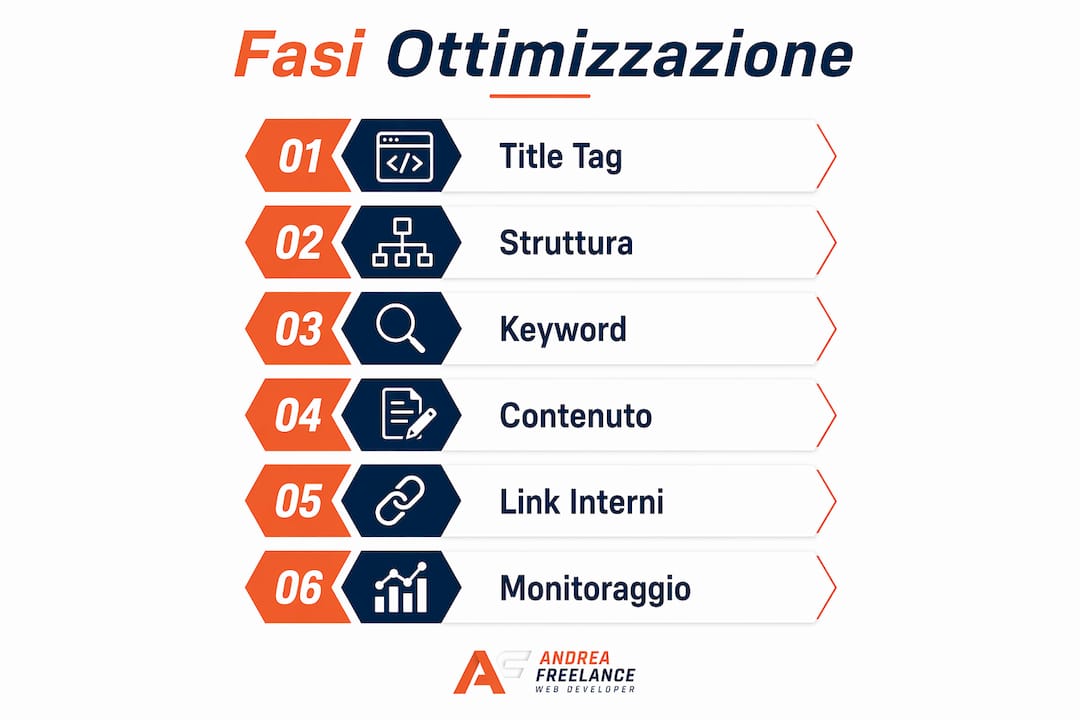
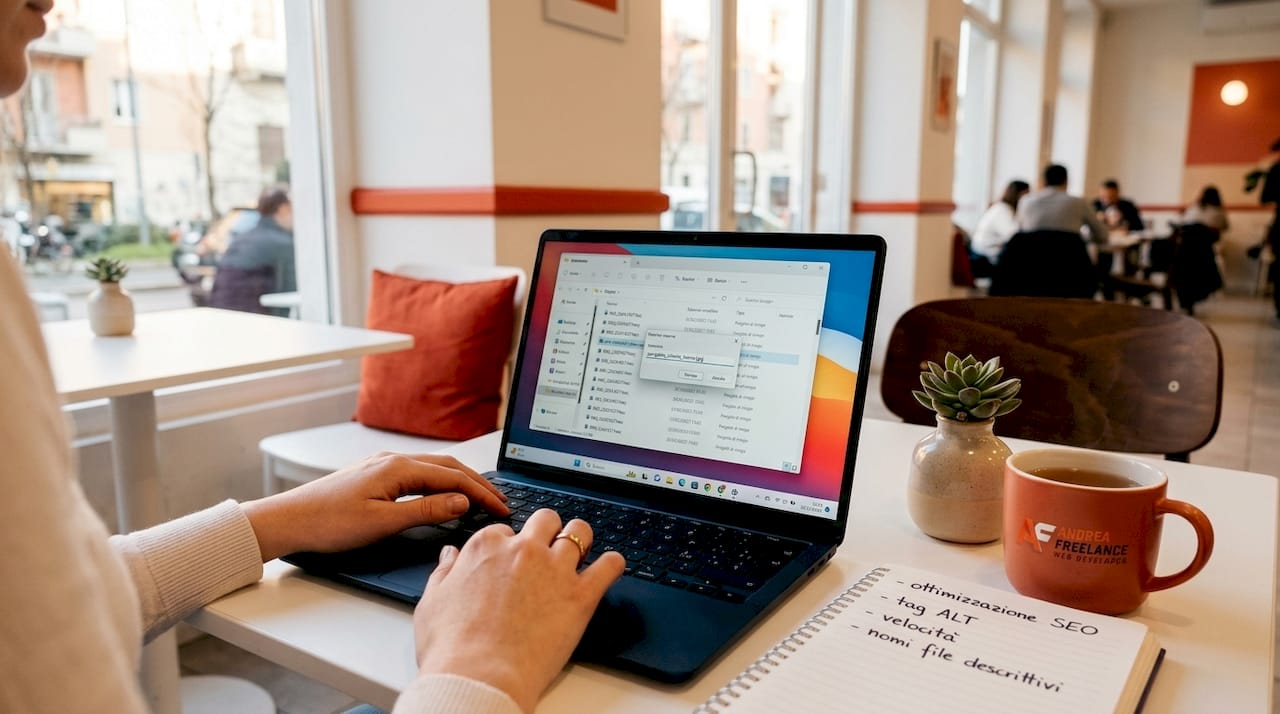
Image optimisation Using descriptive names, keyword-rich alt text and lossless compression improves both image rankings and accessibility. A file named foto1.jpg It doesn't say anything: rename it ottimizzazione-seo-on-page-esempio.jpg and add alt text that describes the image in a natural way.
Structured internal linking improves both crawlability and the distribution of authority amongst pages. Each page should receive at least two or three internal links from related content, with anchor text that is descriptive and consistent with the topic of the target page.
Pro tip: Use Screaming Frog to carry out a full scan of your website and identify, in just a few minutes, any pages missing a meta description, with duplicate title tags or with images lacking alt text. It’s free for up to 500 URLs.
What tools should you use for an effective on-page SEO strategy?
A good on-page SEO strategy starts with keyword research and an analysis of search intent. Without understanding what the user is actually looking for, even a technically flawless page will not rank highly.
How to choose the right tools
Free tools such as Google Search Console, PageSpeed Insights, Yoast SEO and Answer The Public are sufficient for identifying the main issues and guiding your optimisation efforts. For a more in-depth analysis of the competition and keywords, Semrush and Ahrefs provide data that Google Search Console does not offer, such as monthly search volume and ranking difficulty.
The process of selecting tools depends on the budget and the complexity of the website. For a corporate website with fewer than 100 pages, the combination of Google Search Console, Yoast SEO and PageSpeed Insights covers 90% of the requirements. For an e-commerce site with thousands of products, Semrush or Ahrefs become essential for managing optimisation at scale.
Steps to set up the strategy
- Keyword analysis: Use Semrush or Google Keyword Planner to identify the primary and secondary keywords for each page. Distinguish between informational keywords (people searching for “how to do on-page SEO”), navigational keywords (people searching for a specific brand) and transactional keywords (people searching for “SEO services”).
- Initial technical audit: Run a scan using Screaming Frog or Google Search Console to identify 404 errors, chain redirects, duplicate pages and indexing issues.
- Analysis of Core Web Vitals: Check LCP (Largest Contentful Paint), CLS (Cumulative Layout Shift) and FID (First Input Delay) using PageSpeed Insights. Google uses this data as ranking signals.
- Content planning: Create an editorial calendar based on the content gaps identified. Each page must address a specific search intent, not several at once.
- Implementation of structured data: for tutorials, the markup Schema.org HowTo allows you to display specific details such as materials, time required and difficulty levels in search results, thereby increasing the CTR for instructional content. This is one of the most underrated elements in on-page SEO guidance for those who produce tutorial content.
| Instrument | Main function | Cost |
|---|---|---|
| Google Search Console | Monitoring indexing and CTR | Free |
| PageSpeed Insights | Core Web Vitals Analysis | Free |
| Yoast SEO | On-page optimisation for WordPress | Free/Premium |
| Semrush | Keyword research and technical audit | Subject to a fee |
| Answer The Public | Search intent | Free/Premium |
| Screaming Frog | Technical site scan | Free for up to 500 URLs |
Pro tip: Before optimising any page, always check the search intent of the target keyword by searching for it on Google and analysing the top 10 results. If Google displays informative articles, it will never rank a product page for that query, no matter how well it is technically optimised.
How to optimise a web page step by step
On-page optimisation follows a step-by-step process. Skipping the initial steps to focus straight away on content is the most common mistake made by those new to on-page SEO.
Comprehensive optimisation process
Stage 1: title tags and meta descriptions
Write the title tag, including the main keyword within the first 50–55 characters. Avoid repeating the same keyword exactly in both the title and the H1 tag: use natural variations instead. The meta description must contain the keyword, a concrete benefit for the user and a call to action such as “Find out how” or “Read the full guide”. Meta descriptions should be around 150–160 characters long to optimise the CTR without being truncated.
Stage 2: Content structure
Organise the content using a single H1 heading, H2 headings for the main sections and H3 headings for sub-topics. Each H2 section should answer a specific question that the user might have about the topic. This approach improves both readability and semantic coverage, two factors that are becoming increasingly important for generative engines.
Stage 3: Keyword integration
Include the main keyword in the H1 heading, the first paragraph and at least two H2 headings. Use semantic variations and synonyms in the body of the text. Keyword stuffing is penalised by Google: the ideal density is around 1–2% of the total text, but the priority is always that the text reads naturally.
Stage 4: Image and performance optimisation
- Rename each image with a descriptive name before uploading it
- Add alt text containing the keyword where appropriate, without overdoing it
- Compress your images using TinyPNG or ShortPixel before uploading them
- Use the WebP format to reduce the file size by 25-35% compared to JPEG
- Enable lazy loading for images below the fold
Step 5: Internal links and URLs
Link each new page to at least two or three existing pages on the site using descriptive anchor text. Ensure that the URL is clean, short and contains the main keyword. If you need to change an existing URL, always set up a 301 redirect to preserve the authority it has built up.
Stage 6: verification and monitoring
Once published, submit the page for indexing via Google Search Console using the “Check URL” function. Monitor impressions and CTR over the first two weeks. If the CTR is below 2–3% for informational keywords, rewrite the title tag and meta description.
Pro tip: Create an on-page SEO checklist to be applied to every new page before publication. It should include: a verified title tag, a written meta description, an H1 heading, optimised images, at least two internal links, a clean URL, Schema.org implemented where appropriate. This process reduces errors in the 70% compared with an unstructured approach.
Common mistakes to avoid
- Keyword cannibalisation: Two or more pages optimised for the same keyword compete with one another. Use Google Search Console to identify the pages that are competing for the same search queries.
- Duplicate title tags: Every page must have a unique title tag. Duplicates confuse Google and dilute authority.
- Images without alt text: as well as hindering accessibility, they deprive the page of semantic cues that are useful for ranking.
- Thin content: Pages with fewer than 300 words rarely rank for competitive keywords. The depth of the content is an indicator of quality.
- Lack of internal links: Orphan pages, which have no internal links pointing to them, are rarely crawled by search engine crawlers.
How to resolve the most common issues and improve the user experience
User experience signals such as page speed, mobile-responsive design and navigability are playing an increasingly important role in on-page SEO rankings. Google measures these signals through the Core Web Vitals, which have been official ranking factors since 2021. A slow mobile site will drop in the rankings regardless of the quality of its content.
Optimising for E-E-A-T and AI
On-page SEO in 2026 requires LLM-ready content which emphasise expertise, subject authority and semantic clarity in order to be indexed and cited correctly by AI-powered search engines. This means that the author’s byline, the sources cited, the date of last update and the thematic consistency of the website become ranking signals just as important as keyword density.
An on-page SEO strategy must include structured data, optimal UX and internal links to help AI and search engines discover content. Structured data Schema.org They are no longer optional: they are the way you tell Google and generative engines what kind of content you are offering.
The most common issues you come across during on-page optimisation are:
- LCP greater than 2.5 seconds: often caused by unoptimised images or slow hosting. Solution: compress the images, use a CDN and enable caching.
- High CLS: caused by elements that move whilst the page is loading, such as advertising banners or web fonts. Solution: allocate a fixed amount of space for each dynamic element.
- Out-of-date content: Google penalises pages containing out-of-date information. Update your content at least once a year, and only change the publication date if the changes are substantial.
- Lack of authority: Pages without an author’s name, without cited sources and without inbound links from authoritative websites struggle to rank for competitive keywords.
“On-page SEO in the age of AI is most valuable when based on expert, original content with demonstrable authority, going beyond mere technical optimisation.” Source: Google’s guide to optimising for generative AI features
To ensure your content remains relevant over time, set up a quarterly review schedule. Check the search queries for which each page ranks in Google Search Console, update any outdated sections and add new examples or data. This approach of continuous updating signals to Google that the site is active and reliable.
Key points
Effective on-page SEO requires the coordinated optimisation of title tags, semantic content, technical performance and internal links, with an increasing focus on E-E-A-T signals for generative search engines.
| Full stop | Details |
|---|---|
| Title tags and meta descriptions | Keep the title under 60 characters and write a meta description with a call to action (CTA) to maximise the click-through rate (CTR). |
| Semantic structure | Use H1, H2 and H3 headings to organise the content and cover subtopics related to the main keyword. |
| Performance and Core Web Vitals | Optimise LCP, CLS and FID using PageSpeed Insights to meet Google’s technical ranking requirements. |
| Structured data Schema.org | Implement the HowTo markup for tutorials to boost visibility in rich results. |
| Continuous updates | Review the content every quarter to maintain its authority and relevance in the eyes of Google and AI search engines. |
On-page SEO in 2026: what I’ve learnt from 20 years of experience
After more than twenty years of working on WordPress, WooCommerce and Prestashop websites for Italian SMEs, I have seen on-page SEO change radically. In the 2000s, it was enough simply to repeat the keyword in the text and in the title tag. Today, that same technique can actually work against you.
What has struck me most over the last two years is how digital marketing professionals continue to focus on technical optimisations whilst neglecting the substance of the content. I’ve seen websites with perfect title tags, excellent Core Web Vitals and Schema.org implemented correctly, they did not rank because the content did not actually answer the user’s question. Google understands this, and generative engines understand it even better.
The advice I always give my clients is this: optimise the technical aspects just once and do it properly, then spend 70% of your time on the quality of the content. An article written by someone who really knows the subject, with concrete examples and updated regularly, almost always beats a technically perfect but superficial page. The SEO strategy for SMEs The approach that will work in 2026 is one that combines technical rigour with genuine authority.
Another mistake I often see is treating on-page SEO as a one-off task. Optimisation is an ongoing process. The Practical tips for SEO optimisation What works today might not be enough in six months’ time if your competitors update their strategies and you don’t. Monitor, test, refine.
— Andrea
Improve your website’s search engine ranking with the help of Andreafreelance
If you’ve followed this tutorial and would like to apply these techniques to your company website, Andreafreelance offers professional services in SEO positioning and optimisation designed for Italian SMEs and professionals. Every project begins with a comprehensive technical audit and results in a concrete, measurable optimisation plan. If your website needs a structural update, the professional rebranding workflow Andreafreelance combines on-page SEO, performance and usability in a tried-and-tested process. With over 20 years’ experience with WordPress and WooCommerce, you can rely on a professional who knows every aspect of on-page optimisation.
FAQ
What is on-page SEO and why is it important?
On-page SEO involves optimising the internal elements of a web page – such as title tags, content, URLs and internal links – to improve its ranking on search engines. Without proper on-page optimisation, even the best content struggles to be found by users.
What is the ideal length for a title tag?
The title tag must be less than 60 characters long to avoid being truncated in Google’s search results. The main keyword should be included as early as possible, preferably at the start of the title.
What free tools can I use for on-page SEO?
Google Search Console, PageSpeed Insights, Yoast SEO and Answer The Public are free tools that are sufficient for diagnosing the main issues and optimising the pages of a medium-sized business website.
What are Core Web Vitals and how do they affect search rankings?
Core Web Vitals are three metrics developed by Google – LCP, CLS and FID – which measure a page’s speed, visual stability and interactivity. They have been official ranking factors since 2021 and can be checked using PageSpeed Insights.
How can you avoid keyword cannibalisation?
Keyword cannibalisation can be avoided by assigning a single primary keyword to each page and checking via Google Search Console that no two pages are ranking for the same queries. If there is a conflict, consolidate the content onto a single page or differentiate the search intent of the two pages.